eDNA Citizen Scientist Sampler pump replacement instructions (SN 22663 and later)
Field service procedure for pump replacement on a Smith-Root eDNA Citizen Scientist Sampler. The goal is to remove the existing pump and install a replacement pump in compatible units, specifically eDNA Citizen Scientist Samplers with serial numbers 22663 and later, using replacement pump part #14961.
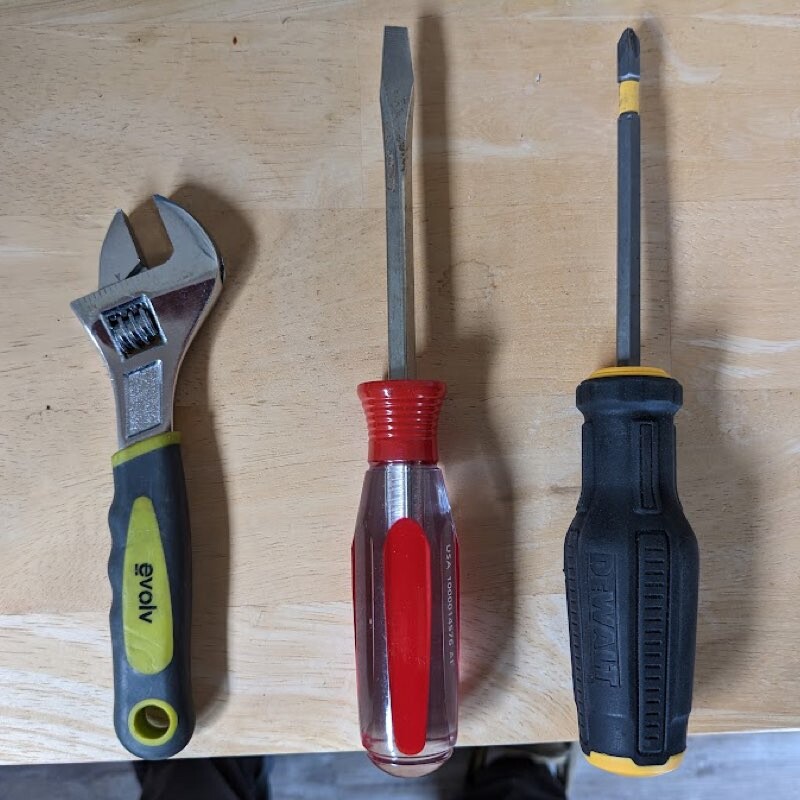
Tools required for pump removal.
- Flathead screwdriver
- Crosshead screwdriver
- Adjustable Wrench
Make sure to keep track of all hardware.
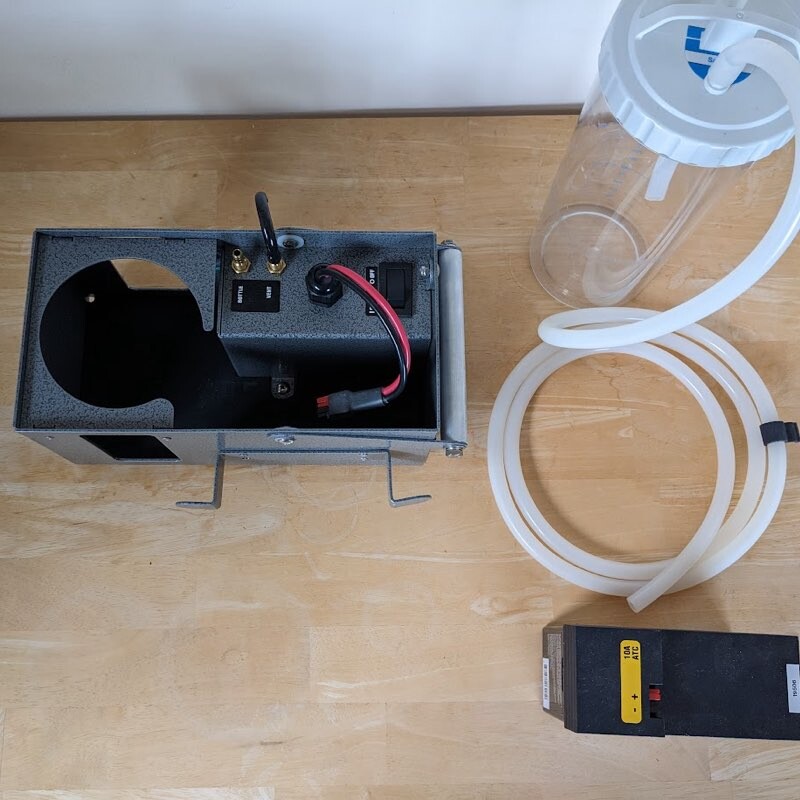
1. Remove vacuum bottle and tubing. Disconnect and remove battery.
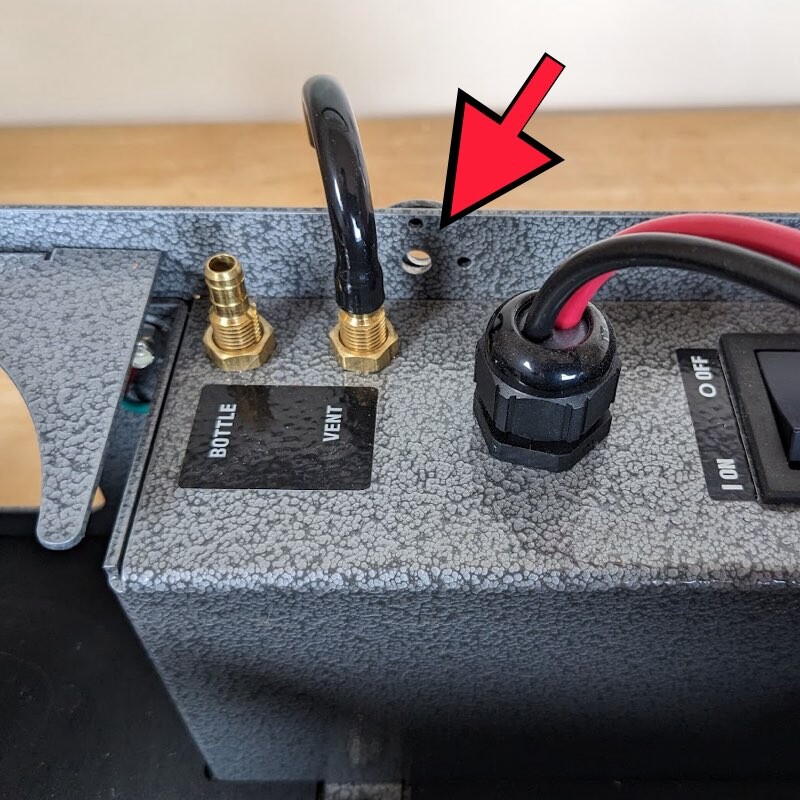
2. Remove handle screw above vent.
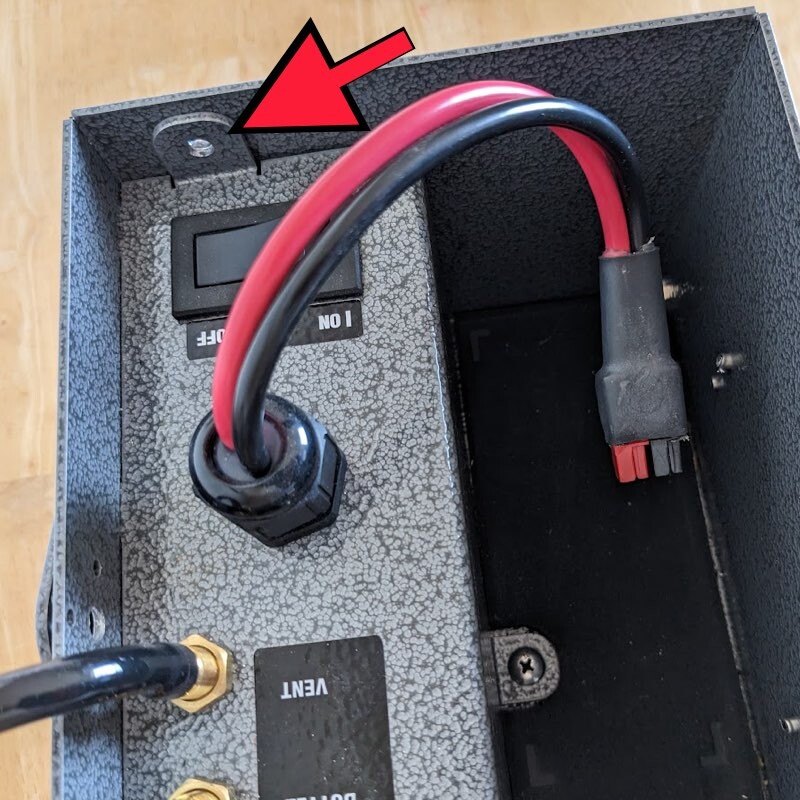
3. Remove screw above power switch.
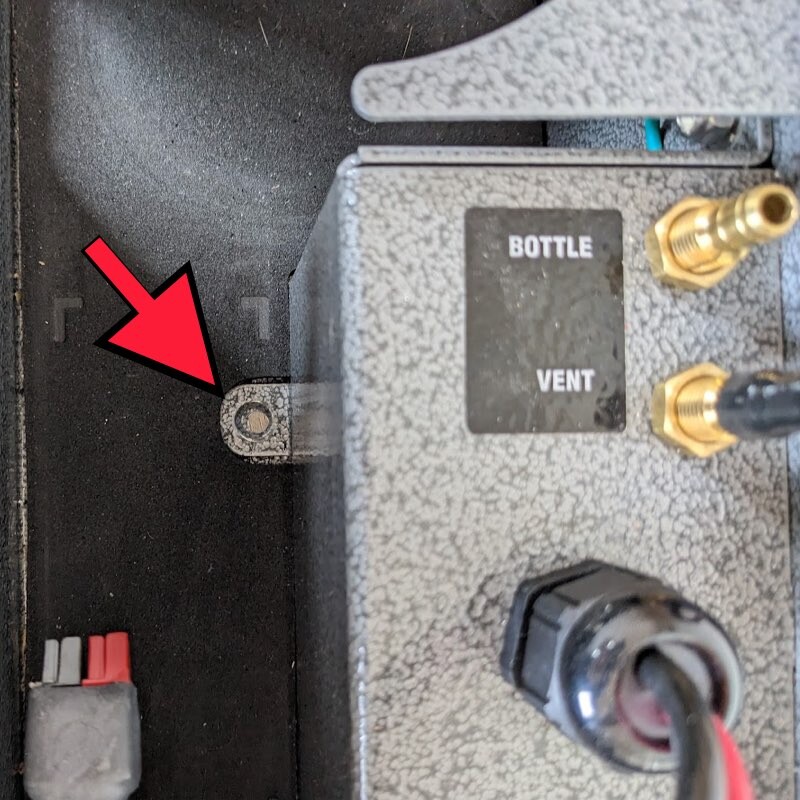
4. Remove screw from foot.
Note there is a nut on the underside of the box that you will need to hold with a wrench.
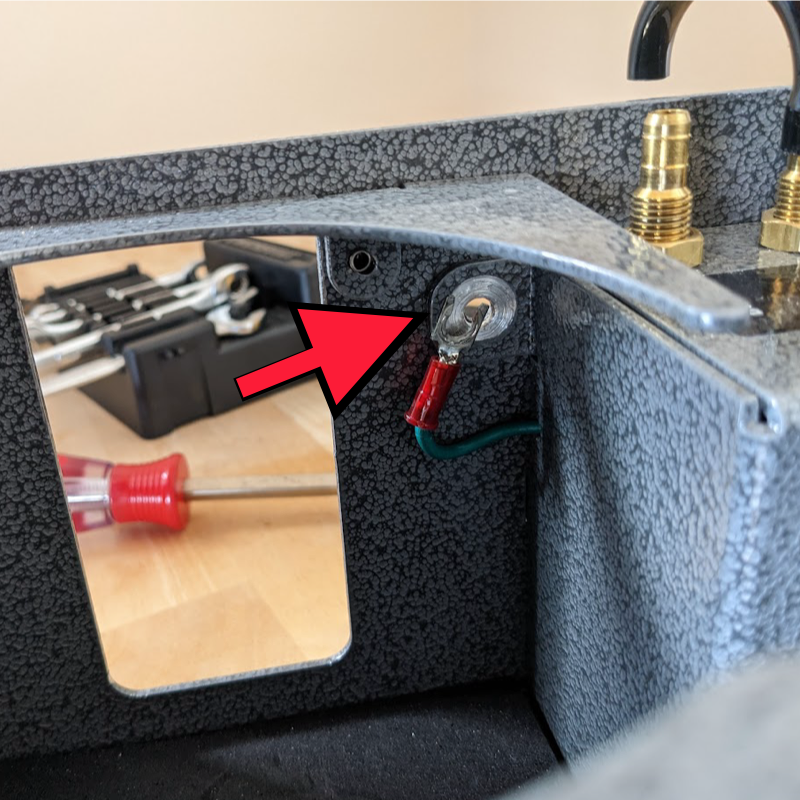
5. Remove the screw inside the chassis that retains the ground wire.
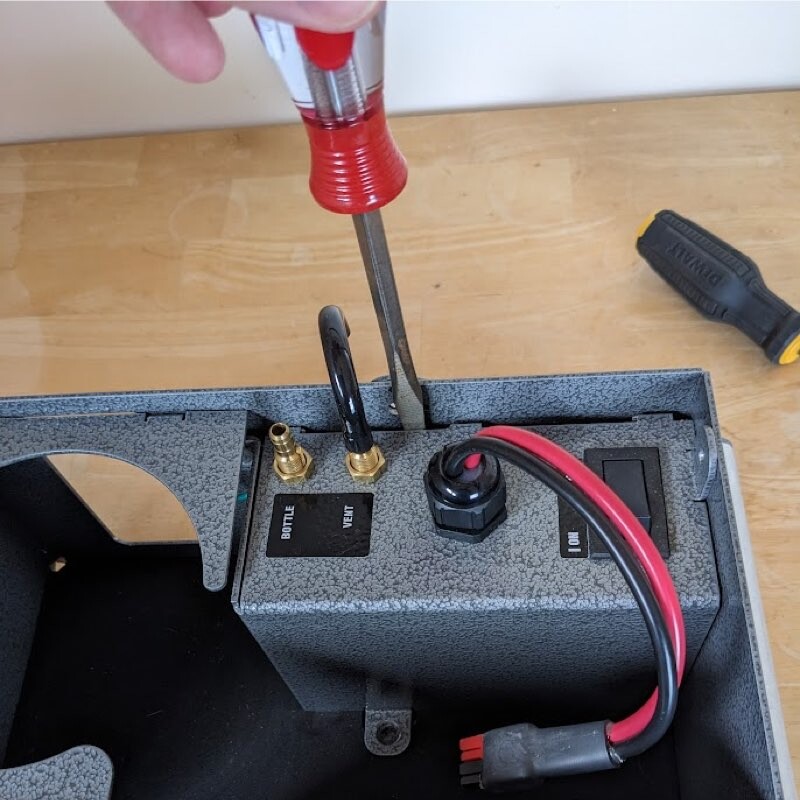
6. GENTLY use flathead screwdriver separate the pump from the chassis. Do not bend the metal or your pump will not fit properly upon reassembly.
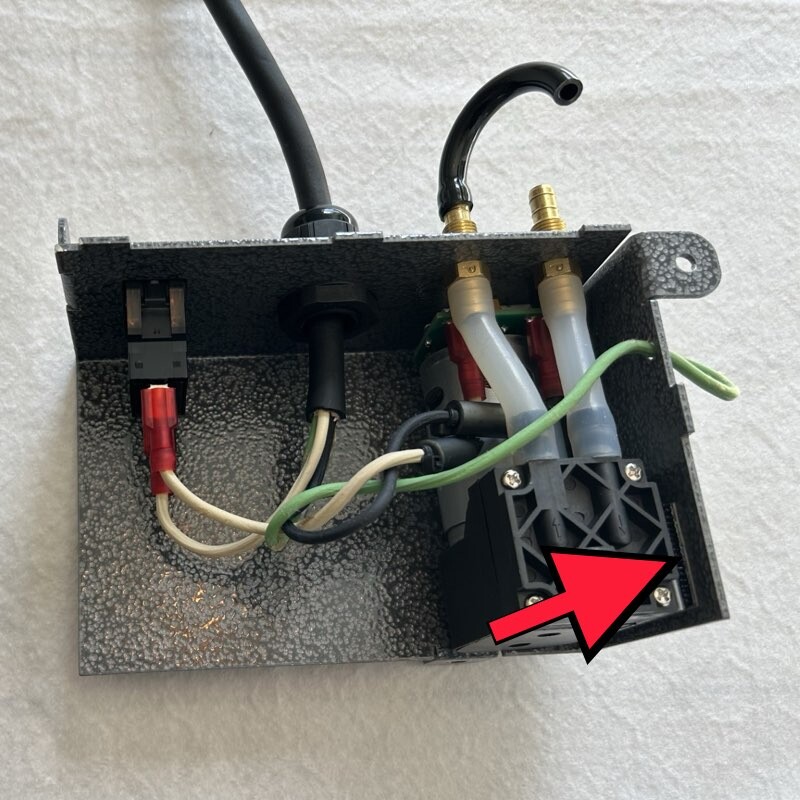
7. Disconnect the pump from the metal frame by detaching the Velcro strip on the side of the pump.
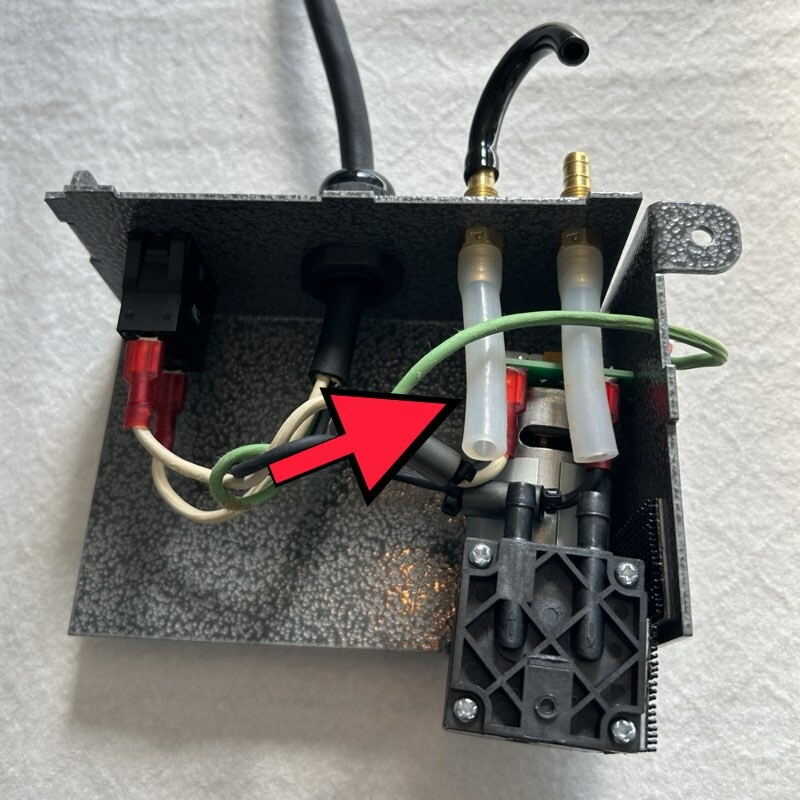
8. Disconnect the air hoses from the pump. Hoses may be difficult to remove by hand; you may use pliers to assist but be careful not to damaged the hoses.
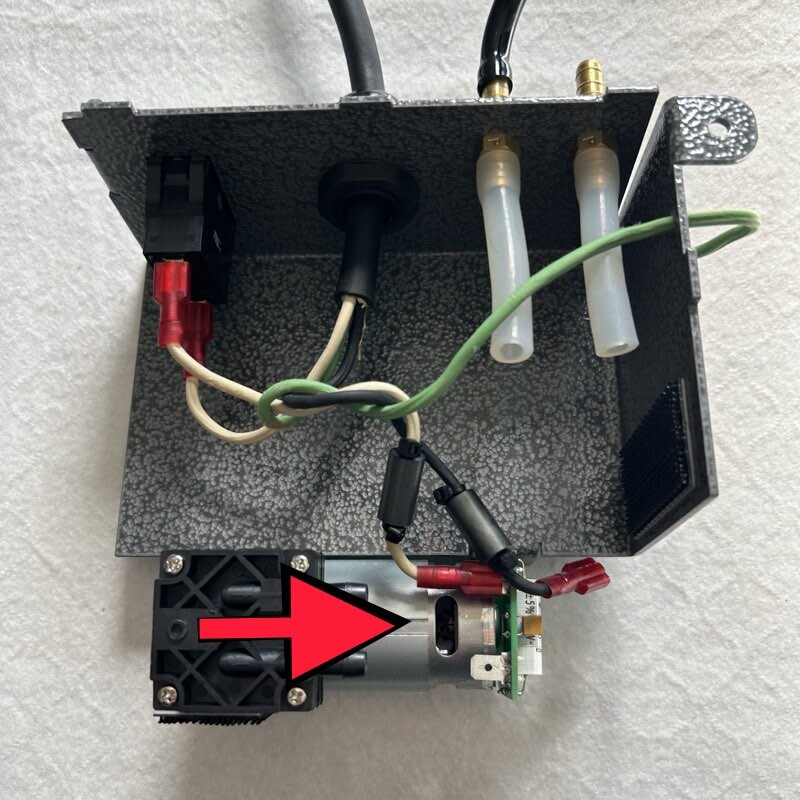
9. Disconnect the power cables from the pump.
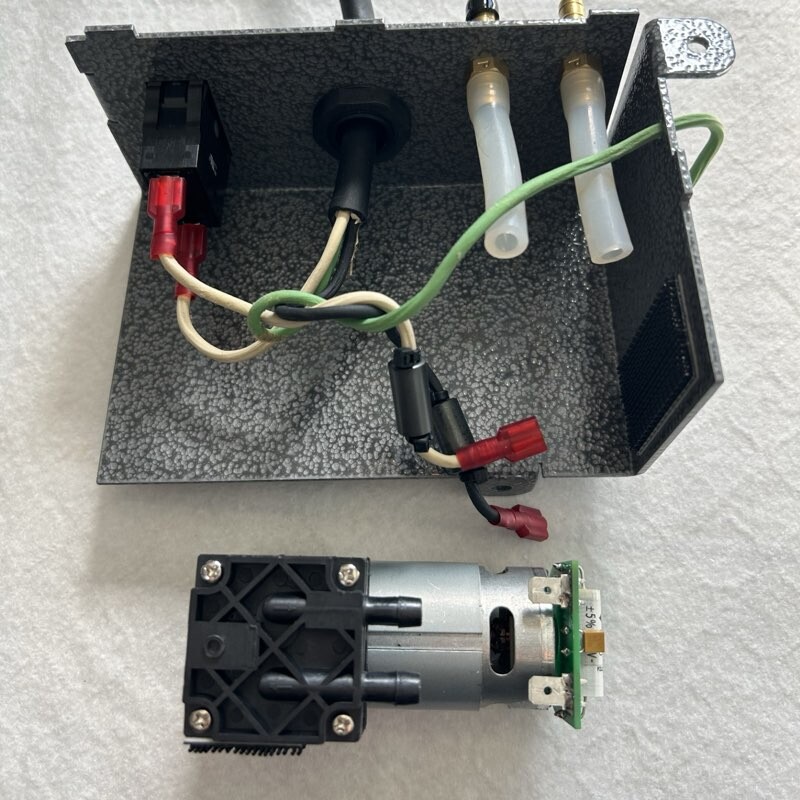
10. Discard of the old pump. For installation of the new pump, please follow the steps in reverse order.